Rank tracking with your Search Console data
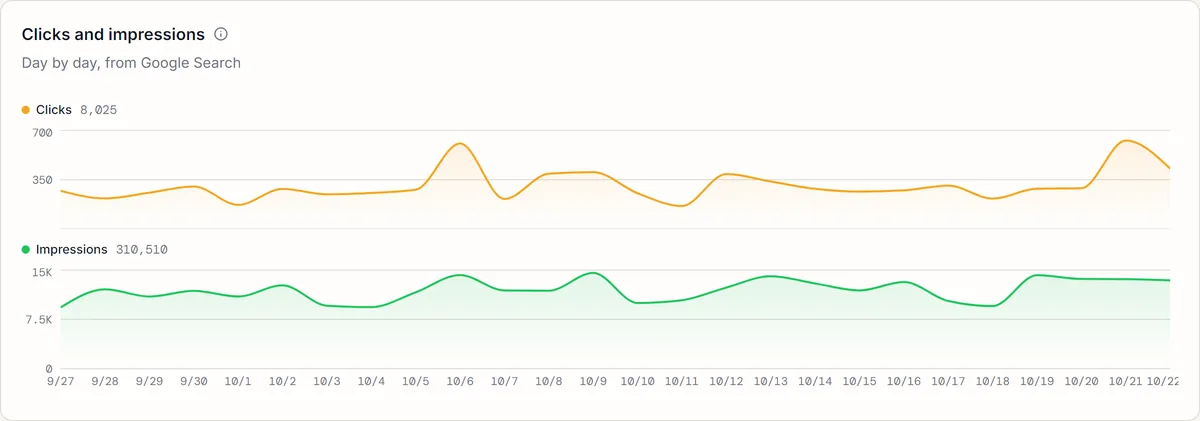
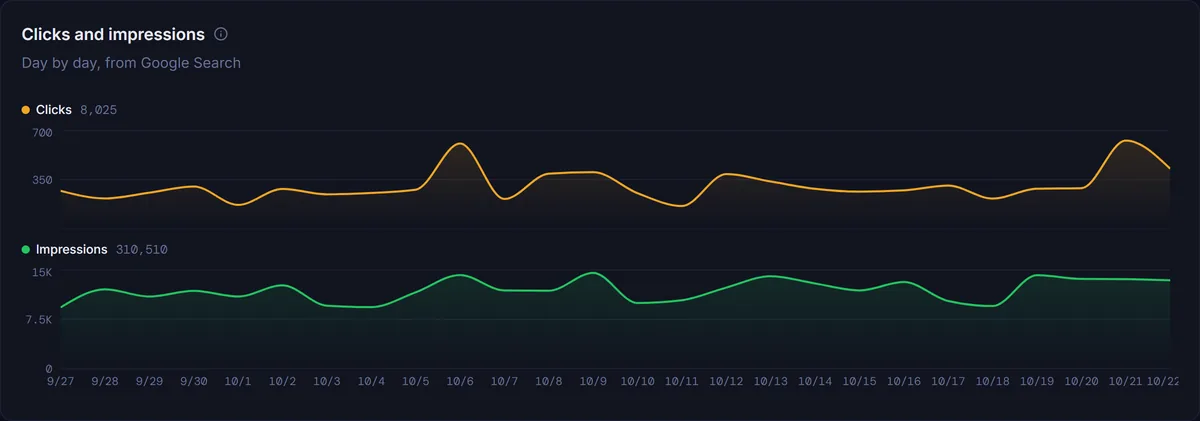
SEOWren checks where you rank on Google every day, and puts your Search Console clicks and impressions next to every keyword you track, so you can see which searches bring visitors. Spot the queries close to page one, find the ones earning clicks you are not tracking, and add them in one click.
Free for 30 days, no credit card needed. Paid plans cancel anytime.
Search Console is included from the Seed plan.
Search Console is free. Why track rankings too?
Search Console tells you what happened. A rank tracker tells you where you stand today. You need both, and they work best in one place.
Its position is an average
Search Console mixes every search that showed your site, from every place and device, into one number. A page that ranks 3rd in one city and 30th in another shows up somewhere in between.
It only shows what already appears
A query only appears once your site has impressions for it. The keyword you want to rank for, sitting at position 60, is invisible until it starts to climb.
Rankings alone miss the clicks
A rank tracker on its own knows your position but not your traffic. With both, you can tell a ranking gain that brings visitors from one that does not.
What you see once you connect
Your Search Console data, organised around the questions you actually ask, next to the rankings you track.
- Performance at a glance
- Clicks, impressions, CTR and average position for your site, compared with the period before, with a chart over 7 days, 28 days or 3 months.
- Top queries and pages
- The queries and pages that earn your clicks, each with their clicks, impressions, CTR and position, sorted the way you need.
- Quick wins near page one
- Queries whose average position over the last 28 days sits between 8 and 20. They are already close; a small push can bring them onto page one.
- Clicks you are missing
- Queries that get plenty of impressions but fewer clicks than their position should earn. Usually a title or description worth rewriting.
- Pages competing with each other
- Queries where two or more of your pages show up. Google splits its attention between them, and neither does as well as one strong page would.
- Searches you are not tracking
- Queries that brought you clicks in the last 28 days but are not in your keyword list. Add them to tracking in one click, within your plan's keyword limit.
Search Console on its own, and with SEOWren
| What you need | Search Console alone | With SEOWren |
|---|---|---|
| Clicks, impressions and CTR | Yes | Yes, next to every keyword you track |
| Your position | An average over every search, place and device | A live Google search in your market, every day, plus Search Console's average |
| Keywords with no impressions yet | Not shown | Tracked anyway, anywhere in the top 100 |
| Who ranks around you | Not available | Competitor tracking and share of voice, from the Grow plan |
| Warning when a keyword drops | Not available | Email and in-app ranking alerts |
| Queries close to page one | Filter and sort them yourself | Listed for you, ready to track |
Connected in three steps
No code, no tags on your site. You sign in with Google and choose what to link.
- 1
Sign in with Google
Sign in with the Google account that has access to your site in Search Console. We only ask for read access.
- 2
Link a property to a project
Pick the Search Console property that belongs to each project. Every project you track can have its own.
- 3
Your data arrives
We pull the last 90 days straight away, then add each new day as Google reports it. Your history keeps growing for up to 16 months.
Read-only access, deleted when you disconnect, never sold. Read exactly what we access.
Questions about the Search Console integration
Search Console averages your position over every search that showed your site, across places and devices, for the days you pick. Our ranking check is one neutral Google search in your project's country, language and device, every day. Both numbers are right; they answer different questions. See how we check rankings
Yes. The clicks, impressions, CTR and average position come straight from Google's Search Console API, the same data you see in Search Console. Google reports each day with a delay of about two days, so the most recent days fill in over time.
No. Every permission we ask for is read-only. SEOWren cannot add, change or remove anything in your Search Console account, and we never sell your data.
Search Console is included from the Seed plan. See pricing for what each plan includes.
Yes. One Google account lists every property it can access, and you link each project to its own property. Ranking checks for your projects do not depend on the link.
No. Search Console works on its own. Connecting Google Analytics 4 is optional and adds your organic traffic: sessions, users, pageviews, bounce rate and time on site.
You can disconnect at any time from your account. Disconnecting deletes the stored Google tokens, the linked properties and every metric we pulled through them. You can also remove SEOWren's access from your Google account settings.
Put your rankings and your clicks side by side
Add your site, connect Search Console, and see the searches behind your rankings.
Free for 30 days, no credit card needed. Paid plans cancel anytime.